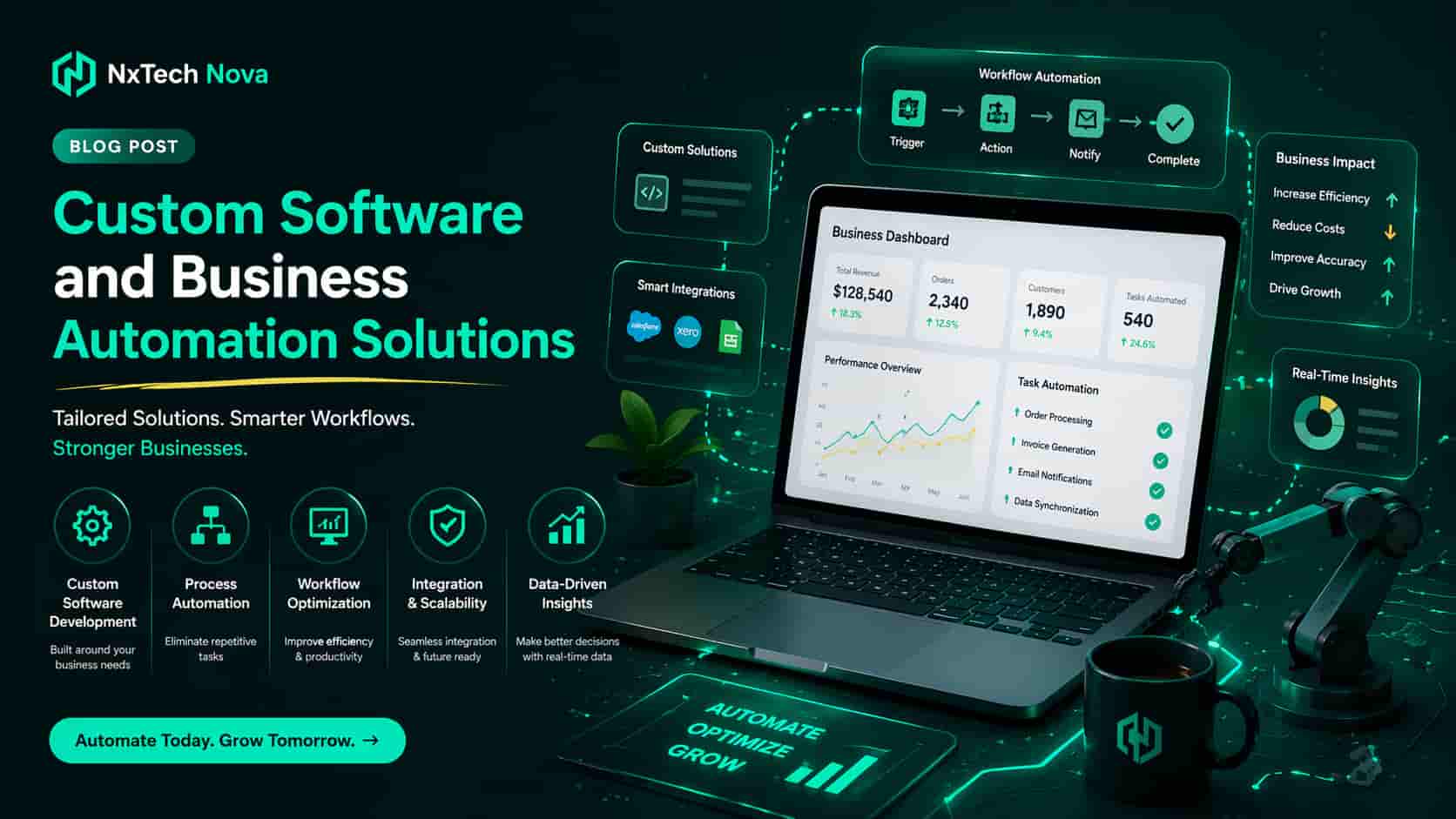
How to develop custom software for my business to automate daily tasks?
One founder starts the morning with a simple plan. Reply to leads, review yesterday’s numbers, approve a few tasks, and move on. Then the real day begins. One lead sits in a form inbox. Another lives in WhatsApp. Sales notes are in a spreadsheet. The team wants updates in Slack. Finance needs invoices. By noon, nothing feels difficult, yet everything feels heavy.
That is where many businesses get stuck.
The confusion usually starts with one big question. Should you buy another tool, connect the tools you already use, or invest in custom software that fits the way your business actually works? That is also where most blogs become frustrating. They explain what automation is, but they stop before they show founders what to automate first, when custom development is worth it, and how to hire the right team without wasting budget. A lot of competing pages stay broad, repeat surface level benefits, or jump to a sales pitch before helping the reader make a decision.
This guide takes a more practical route.
Instead of throwing jargon at you, it answers the questions founders usually ask when they are buried in repetitive work and need a real fix.
-
What business automation solutions actually do
-
Where manual work quietly burns money
-
How marketing automation saves hours without making your brand feel robotic
-
Why custom application development helps growing firms move faster
-
How to find the right programmers for an app idea from scratch
-
What custom application development means in IT services right now
Before we get into the details, here is the simplest truth. Automation is not about replacing people. It is about removing low value repetition so people can focus on decisions, customer experience, and growth. Microsoft describes business process automation as using software to handle routine workflows faster, more accurately, and more consistently. McKinsey also notes that automation and generative AI can materially lift productivity when applied to the right business use cases.
A practical example of this approach can be seen in NxTechNova’s service stack. Their AI automation pages focus on audit first, workflow architecture second, deployment third, and ongoing optimization after launch. Their custom web and app development pages also frame the work around business fit, integrations, performance, ownership, and maintainability rather than just code delivery. That is the kind of process serious founders should look for.
What are business automation solutions and how do they save money?
Business automation solutions are software systems, workflows, and integrations that handle repeatable work without someone manually pushing every step forward. That can mean routing leads to a CRM, sending invoices when a deal closes, assigning follow ups, updating records, generating reports, or triggering approval flows inside your team. Microsoft’s guidance on workflow automation highlights the same core gains over and over again, which are time savings, fewer errors, better visibility, and smoother collaboration.
The reason they save money is simple. Manual work looks cheap because it is already happening. But hidden manual work is expensive. It slows staff down, creates rework, causes missed follow ups, and makes reporting unreliable. When employees spend hours copying data from one system to another, your company is paying skilled people to do clerical movement instead of revenue work. Mailchimp and Microsoft both frame workflow automation around this exact problem, pointing to saved time, reduced human error, and stronger operating efficiency.
The best place to start is not software. It is process.
Ask these questions first.
-
Which tasks repeat every day or every week?
-
Which tasks follow fixed rules?
-
Which handoffs get delayed?
-
Which activities create errors when done manually?
-
Which tasks block sales, support, or delivery when one person is absent?
If you find the same task touching CRM, email, spreadsheets, finance tools, and team notifications, that is usually a strong automation candidate. That is where a proper business automation workflow starts paying for itself because it removes repeated handoffs instead of adding one more dashboard your team forgets to open.
Here are common money leaks that business automation solutions fix first.
-
Manual lead assignment
-
Proposal creation from copied templates
-
Invoice and billing reminders
-
Approval chains for discounts or purchases
-
Customer onboarding steps
-
Status updates across departments
-
Report generation for leadership
-
Data syncing between marketing, sales, and operations
NxTechNova’s workflow and process automation page leans into exactly these use cases. It talks about multi step workflow builders, cross platform integration, error detection, approval flows, document automation, and ongoing optimization. That matters because real automation is rarely one isolated trigger. It usually spans multiple tools and multiple teams.
This is where many competitor blogs leave a gap. They say custom web applications can automate operations, but they often stop at general benefits like scalability, security, and integration. They do not spend enough time showing founders how to prioritize the first workflow, what to measure after launch, or how to avoid automating a broken process. That missing layer is exactly what separates a nice idea from a business result.
A smart starting point looks like this.
-
Map one painful process from start to finish
-
Remove unnecessary steps before you automate
-
Identify the systems involved
-
Set one measurable goal, such as faster response time or fewer dropped leads
-
Build the smallest useful automation first
-
Review results after two to four weeks
-
Expand only after the first workflow is stable
If your business also handles large volumes of records, reporting, or operational logs, then workflow automation for managing large datasets becomes more than a convenience. It becomes the difference between a team that reacts late and a team that sees issues early.
The key point is this. Automation saves money when it reduces friction in work that happens constantly. Not once a quarter. Not once a year. Every day.
How can founders automate marketing and save hours of manual work?
Marketing is one of the easiest places to see automation work because the waste is obvious. Leads come in at odd times. Follow ups get delayed. Campaign reports are assembled manually. Contacts are segmented late. Sales asks for cleaner data. Nobody has time to rewrite the same messages ten times.
HubSpot defines marketing automation as software that automates repetitive marketing tasks like email campaigns, social posting, and lead nurturing, while helping teams deliver personalization at scale and improve ROI. Mailchimp makes a similar point, especially around time savings, engagement, and workflow efficiency.
The time savings are not small. Zapier reported that marketers using automation tools saved an average of 25 hours per week. HubSpot also reported that marketers using AI save an average of 12.5 hours per week. Even when those numbers vary by team and setup, the pattern is clear. Marketing automation gives time back.
That does not mean founders should automate everything at once.
The right move is to automate the tasks that are repetitive, rules based, and close to revenue. In plain language, start where delay costs money.
The highest impact marketing automations usually include these:
-
Instant form confirmations
-
Lead routing to the right person
-
Follow up email sequences
-
Lead scoring based on behavior
-
Reminder messages for booked calls
-
Retargeting audience updates
-
Weekly campaign performance reports
-
Re engagement flows for cold leads
A lot of owners begin by searching for the best marketing automation agency near me because they know marketing is leaking time, but they cannot see exactly where. That is a fair instinct. The right partner should not just connect tools. They should audit your funnel, define the logic, build the workflows, and show you what improved.
NxTechNova’s AI automation service page reflects that structure clearly. Their process moves from lead capture and qualification to AI workflow architecture, deployment, and then pipeline optimization. Their AI sales system page also shows a direct path from lead capture to AI qualification, lead scoring, booking, and sales notification. That matters because founders do not need random automation. They need marketing agency automation tied to revenue movement.
Here is what founders should automate first if they want fast wins.
-
Lead responseIf someone fills a form and hears nothing for hours, interest drops. An automated first response fixes that.
-
QualificationNot every lead deserves a sales call. Scoring rules and simple qualifying flows protect your team’s time.
-
Follow up sequencesMost deals are not lost because the offer was bad. They are lost because nobody followed up consistently.
-
CRM updatesManual CRM work is one of the fastest ways to ruin forecasting and pipeline clarity.
-
ReportingFounders should not wait until Friday night to understand campaign performance.
If your funnel breaks after the lead comes in, then sales automation agency support can make more sense than buying another point solution that only fixes one tiny part of the journey.
The best part is that marketing automation does not need to sound robotic. Good automation keeps the timing consistent while keeping the message human. You can automate when a lead gets contacted, how a record gets tagged, when a team member gets notified, and when a reminder goes out. But the tone, offer, and brand voice can still sound like a person wrote them.
That is where automated campaign workflows become valuable. They remove the boring, error prone work behind the scenes while keeping the customer experience clean and timely.
Another thing founders often want to understand is pricing. They are not just asking whether automation works. They are asking whether it is worth it for their stage. That is why searches around ai marketing automation cost for small businesses make sense. The answer is rarely found in one flat number. It depends on funnel complexity, tool stack, number of workflows, reporting needs, and whether your project needs custom logic or a lighter no code setup.
A useful rule of thumb is this.
-
If the task is simple, repetitive, and contained within existing platforms, workflow automation may be enough.
-
If the task spans many systems, includes custom business rules, or needs a special user experience, custom software usually delivers better long term value.
That is also where many competing articles fall short. They talk about benefits of automation but give less attention to the founder question that actually matters, which is what should I automate first so I save time without creating a bigger mess later. This guide answers that by tying automation to business friction, handoff speed, and conversion quality, not just tool features.
What are the benefits of custom application development for growing firms?
Custom application development means building software around your business rather than forcing your business to bend around generic software. Salesforce defines custom application development as designing, creating, and deploying software tailored to the unique needs of a business. That distinction matters a lot once your company grows past simple templates and one size fits all tools.
Growing firms usually feel the limits of generic software in the same places.
-
Teams live in workarounds
-
Data sits in too many tools
-
Reporting is inconsistent
-
Processes differ by employee
-
Customer experience feels disconnected
-
New requirements keep colliding with platform limits
Fingent describes the warning signs clearly, especially repetitive work, jumping between systems, workarounds, spreadsheet dependence, and manual entry errors. Those are not minor annoyances. They are signals that the system no longer fits the business.
This is where custom application development starts to make sense.
The benefits are practical, not abstract.
-
Better process fitYour software matches the way your team actually works.
-
Cleaner integrationsYour CRM, billing, forms, support, and reporting tools can communicate properly.
-
Stronger ownershipYou are not trapped by feature limits or forced upgrades you do not need.
-
Easier scaleNew workflows, roles, and user volumes can be added with intent.
-
Better customer experienceThe front end and the internal system support the same journey.
-
More useful dataInstead of fragmented records, you get one clearer operational picture.
NxTechNova’s custom web development page leans on this same idea. It focuses on bespoke front end work, backend integration, performance engineering, CMS setup, scalable architecture, and maintainable code. Their custom app development page adds internal tools, dashboards, backend architecture, third party integrations, cloud deployment, and full ownership. That is the right frame because growing firms do not just need “a website” or “an app.” They need a system that holds up as the business changes.
If your business is now too complex for templates and patches, it is usually a sign that unique software development is not a luxury. It is the cleaner operating choice.
There is also an important modern layer to this discussion. Not every legacy system should be replaced from zero. Red Hat’s guidance on application modernization stresses that updating existing systems can improve performance, flexibility, and innovation without always starting over. That means growing firms should evaluate three paths carefully.
-
Keep the current system and integrate automation
-
Modernize the current system
-
Build a custom application for the workflows that create the most friction
The right answer depends on business fit, not hype.
Founders often get this wrong in one of two ways.
The first mistake is underbuilding. They stack too many low cost tools until the business becomes a fragile collection of patches.
The second mistake is overbuilding. They commission a huge app before validating what the team actually needs.
A stronger path is to build around use cases.
For example:
-
Internal approval dashboard
-
Lead distribution and status system
-
Custom client portal
-
Service delivery tracker
-
Proposal and invoice engine
-
Operations reporting dashboard
-
Booking and reminder workflow
-
Inventory or field team app
If you are already comparing custom web development near me options, focus less on flashy design language and more on whether the team understands workflows, integrations, performance, ownership, and post launch support.
That is one more content gap many competitor articles leave behind. They explain that custom solutions are tailored, scalable, and secure, but they often skip the founder level decision framework. They do not help you decide whether to automate inside existing tools, modernize a legacy system, or build a custom application that becomes core infrastructure. That choice is where the real money is won or lost.
How to find programmers to develop an app idea from scratch?
This is where many business owners panic.
They have the idea. They know the problem. They may even know the first set of features. But the moment they start looking for developers, the market becomes noisy. Freelancers, agencies, outsourced teams, full stack firms, app specialists, no code builders, AI automation agencies, and consultants all claim they can build it.
So how do you choose?
Start by changing the question.
Do not ask, “Who can code this?”
Ask, “Who can turn this into a usable product that solves the business problem, launches cleanly, and stays maintainable after launch?”
Clutch’s software development guide gives founders a strong checklist. It recommends asking about project steps, timeline estimation, dedicated team structure, contact ownership, successful past projects, IP ownership, methodology, payment structure, and why the company is a fit for the project. Their app development guide also frames mobile teams around planning, design, development, and launch quality.
That means your hiring checklist should look like this.
-
Define the job before you meet vendorsWrite down the problem, user type, must have features, nice to have features, budget range, and timeline.
-
Decide what you are building firstIs it an internal tool, a customer app, a SaaS product, a portal, or a mobile first service app?
-
Choose the right build modelYou may need workflow automation, a web app, a mobile app, or a mix.
-
Ask for relevant examplesNot just pretty screens. Ask for projects similar in logic, industry, or complexity.
-
Clarify ownershipYou should know who owns the code, design files, data model, infrastructure, and documentation.
-
Ask about discoveryGood teams do not jump straight into development. They clarify scope first.
-
Ask about maintenanceA launch is not the finish line. Support, fixes, analytics, and iteration matter.
-
Judge communication styleIf the team cannot explain your project clearly before signing, things usually get worse after signing.
This is why random hiring can go wrong. Some teams are great coders but weak product thinkers. Others are strong at design but weak at backend logic. Some promise speed by skipping discovery, which often creates costlier revisions later.
If you are exploring mobile app development near me because you want a faster path from idea to product, make sure the provider can handle planning, user flows, backend logic, launch support, and iteration after release.
For a bigger or more ambitious product, custom mobile app design and development is usually the smarter route because it gives you a system built around your business rules instead of a generic shell that breaks when the product matures.
NxTechNova’s custom app page is helpful here because it positions the service around SaaS and web apps, internal tools, backend architecture, AI integration, API connections, cloud deployment, and full ownership. That is closer to what a founder actually needs than a vague promise to “build your app.”
If your product has platform specific needs, be more precise.
-
Use Android first if your users are field teams, operational staff, or budget sensitive markets
-
Use iOS first if your audience is premium consumer or executive heavy
-
Use cross platform if speed and shared logic matter more than platform specific polish
-
Start with web if the core workflow is operational and does not need app store distribution yet
Many founders also forget to ask what should be in version one.
Version one should not be every idea you have ever had.
It should include:
-
One primary user type
-
One core outcome
-
A small number of key screens
-
A clean admin or reporting layer
-
Basic analytics
-
The minimum integration set needed to operate
That is how good partners protect your budget.
This is another area where competitor content often feels thin. Some pages explain why you need a software partner, but they stop before giving you a practical founder checklist. Others give generic reassurance without helping you compare vendors, structure scope, or avoid a bad build decision. This guide fills that gap because hiring the wrong programmers is not just inconvenient. It can delay launch, waste capital, and kill momentum.
What is custom application development in IT services today?
Today, custom application development in IT services is not just coding a bespoke tool from scratch. It is the full process of shaping a digital system around a business need, then connecting that system to the tools, data, workflows, and customer experiences that keep the company moving.
Salesforce defines it as software tailored to a company’s unique needs. Red Hat frames the modern environment around modernization, cloud readiness, and better operational flexibility. IBM points to AI in business as a way to optimize processes, eliminate repetitive tasks, and support smarter decisions. Put together, that means modern custom application development sits at the intersection of software, automation, integration, and business operations.
In simple terms, today it usually includes five layers.
-
Business discoveryUnderstanding what problem needs solving and where the friction lives.
-
Product designMapping user flows, interfaces, permissions, logic, and outcomes.
-
Technical architectureChoosing the stack, database model, APIs, hosting, and security model.
-
Workflow integrationConnecting the app with CRM, email, payments, analytics, support, and internal tools.
-
Ongoing improvementMonitoring usage, performance, adoption, and new feature priorities after launch.
That is why modern IT services firms are expected to do more than code. They need to understand operations, customer journeys, process automation, data movement, and long term maintainability.
A strong custom application today might include:
-
A client portal linked to your CRM
-
An internal dashboard with role based access
-
Automated documents and approvals
-
AI assisted support or search
-
Billing or subscription logic
-
Reporting layers for leadership
-
Mobile access for field staff
-
Cloud deployment and monitoring
In some cases, it also includes specialized modules such as build ai chatbot with custom knowledge base for support teams that want faster responses without making customers wait for a human on every simple request.
This broader definition matters because a lot of older content still treats custom development like a coding project only. The real market has moved on. Businesses now expect custom applications to work with automation, data visibility, AI support, multi tool workflows, and post launch optimization.
That is also why the line between software development and business automation is getting thinner. A founder may start by wanting document workflow automation, sales process automation, or CRM workflow management. But once the company grows, those needs often push toward a custom application that becomes the central operating layer.
So when someone asks what custom application development means in IT services today, the clearest answer is this.
It means building business ready software that does not sit alone. It connects. It automates. It scales. It supports decisions. And it fits the way the business actually works.
Conclusion
The right software choice matters because every growing business reaches the same point sooner or later. Manual work starts slowing the team, generic tools stop fitting the workflow, and leadership loses too much time managing around system gaps instead of fixing them.
That is when clarity becomes valuable.
You do not need to automate everything at once. You need to identify the work that repeats, leaks money, delays response, or creates friction across teams. Then you choose the right level of solution. Sometimes that is a workflow. Sometimes it is modernization. Sometimes it is a custom app.
If your goal is to scale business with automation, start with one painful process and solve it properly. And if you want a partner that combines workflow thinking, AI automation, custom software, and app delivery under one roof, NxTechNova is a credible place to start based on how its service pages structure the work around audit, architecture, deployment, and optimization.