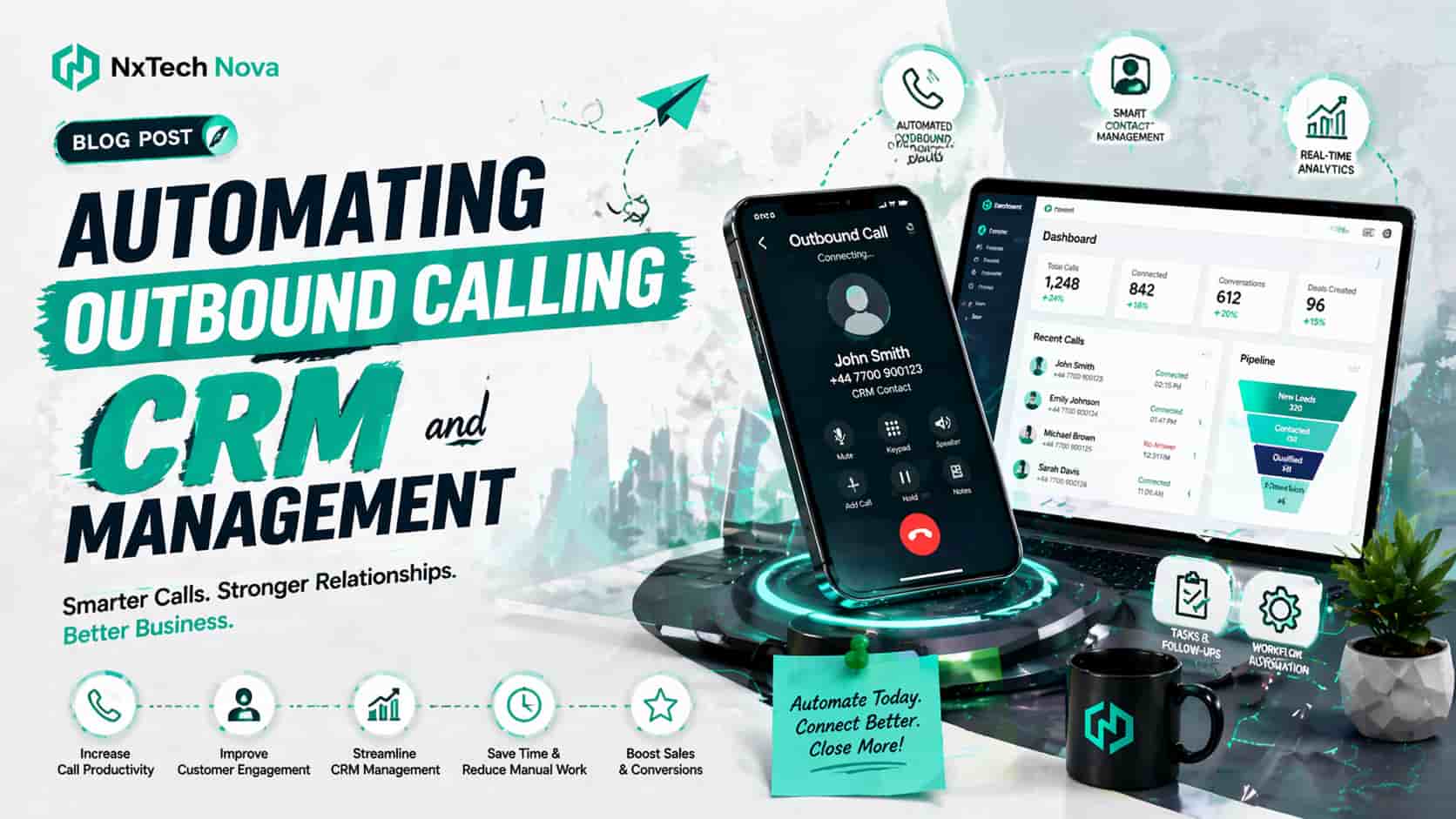
What are the benefits of automated outbound calling for businesses?
That kind of day is more common than most businesses like to admit. The problem is usually not a lack of effort. It is a broken workflow. Calls happen in one place, customer details sit somewhere else, and follow up depends too much on memory.
This is exactly where automated outbound calling starts to change the game. Instead of asking sales reps to juggle dialing, note taking, reminders, contact updates, and follow up sequencing all at once, automation handles the repetitive work in the background so the rep can stay focused on the conversation that actually moves revenue.
Used properly, automated outbound calling does not turn sales into a robotic process. It makes the process more consistent. Calls can be scheduled faster, dispositions can be captured instantly, summaries can be recorded automatically, and the right next action can trigger without anyone manually pushing five different buttons. That is the difference between activity and progress.
Many businesses first notice the need for automation when growth starts exposing cracks. A team that could manage ten leads a week manually begins dropping the ball at fifty. A founder who once handled every callback personally can no longer keep track. A small sales team spends more time updating systems than speaking with prospects. At that point, the goal is not simply to buy software. It is to build a repeatable system that scales.
That is why businesses looking to scale business with automation usually start with the sales process. Outbound calling sits at the center of lead generation, qualification, follow up, and deal movement. When you automate the right steps around it, the entire revenue engine becomes easier to manage.
So what are the actual benefits?
The real benefits businesses feel first
Faster first contact
Speed matters in sales. The longer a lead waits, the colder the opportunity becomes. Automated outbound calling helps teams respond quicker by placing calls based on triggers such as form submissions, demo requests, abandoned carts, quote requests, or stage changes in the CRM.
Instead of waiting for someone to notice a new lead and act on it, the system can queue the call immediately. That shortens response time and makes your business feel sharper and more reliable from the first interaction.
More consistent follow up
Most lost deals are not lost because the offer was terrible. They are lost because follow up was weak, delayed, or forgotten. Automation makes follow up consistent. If a call is not answered, the system can schedule the next attempt. If a lead asks to speak next Tuesday, the callback can be logged and surfaced at the right time.
Consistency is one of the biggest competitive advantages a smaller business can build. It helps lean teams operate with discipline, even when the day gets hectic.
Less admin work for sales reps
A good calling workflow removes unnecessary keyboard work from the rep. The conversation can be transcribed, summarized, tagged, and pushed into the CRM automatically. That means fewer manual notes, fewer missed details, and less time spent cleaning up records after the call.
This matters because sales productivity is not just about making more calls. It is about protecting rep energy for the parts of sales that humans do best, such as building trust, handling objections, and reading tone.
Better visibility for managers
Automation improves management visibility without turning leaders into micromanagers. When call outcomes, notes, dispositions, recordings, and next steps land in the CRM in a structured way, managers can see what is moving, what is stuck, and where coaching is needed.
That makes forecasting more dependable. It also makes one to one coaching better, because the manager is reacting to real call data instead of guesswork.
Cleaner customer experience
No customer enjoys repeating themselves to three different people. When the CRM is updated in real time and call information flows properly, the next person who speaks to that lead already has the context. The conversation feels smoother, more respectful, and more professional.
This is one of the most overlooked benefits of automation. Internally, it saves time. Externally, it makes the business feel more organized.
Better use of AI without losing the human touch
The smartest approach is not full replacement. It is collaboration. AI can help prepare the rep, log the call, surface suggestions, and automate routine steps before and after the conversation. The human still owns the relationship, nuance, and judgment.
That balance matters because fully automated calling may sound efficient, but complex sales still require empathy, timing, and context. The strongest systems use AI to remove friction, not humanity.
For businesses that want a practical business automation workflow around calling, lead routing, follow up, and CRM updates, this is where the biggest payoff starts. You are not simply making more calls. You are making every call easier to act on.
What this means for different kinds of businesses
Automated outbound calling is not only for giant call centers. It is useful in different ways depending on the business model.
-
Startups use it to handle more leads without hiring too early.
-
Agencies use it to qualify inbound enquiries and follow up faster.
-
Service businesses use it to book appointments and reduce no response gaps.
-
Sales teams use it to keep pipeline movement consistent.
-
Ecommerce brands use it to recover high intent prospects and large carts.
The common thread is simple. If calls are part of how revenue moves, then the process around those calls needs structure.
What is an automated call management CRM and how does it work?
An automated call management CRM is a customer relationship system that does more than store names and phone numbers. It connects customer records with call activity, automation rules, AI assistance, reminders, and follow up actions so your team can manage conversations and pipeline movement in one place.
In a basic setup, a rep makes a call, writes notes somewhere, then manually updates the CRM later. In an automated setup, the call activity is connected directly to the CRM. The system can trigger calls, log outcomes, capture transcripts, update records, and schedule what happens next.
The easiest way to understand it is to walk through the workflow.
Step 1: A lead enters the system
The lead might come from a website form, a paid ad, a demo request, a referral, or a manual upload. Once the record is created, the CRM stores the essential information and applies the right tags, source data, and ownership rules.
Step 2: The system decides what should happen next
This is where rules and intelligence come in. The CRM can score the lead, assign it to the correct rep, place it into a call queue, or trigger a scheduled callback based on business hours, geography, campaign type, or customer intent.
That means the team does not waste time deciding basic routing on the fly. The workflow makes those decisions consistently.
Step 3: The outbound call happens
Depending on the setup, the rep may dial from inside the CRM, or an AI supported system may assist the process by preparing context before the call starts. The rep can see contact history, prior touchpoints, notes, and campaign source before speaking.
This reduces awkwardness and gives the rep a better opening. They are not calling blind.
Step 4: The conversation is captured automatically
As the call ends, the system can log the duration, outcome, disposition, recording, transcript, summary, and next recommended action. Instead of the rep typing everything manually, the CRM captures most of the routine detail.
This is one of the biggest operational wins because admin work usually piles up after the call, when the rep is already trying to move to the next task.
Step 5: The CRM triggers follow up
If the lead asked for a proposal, the system can create a task. If the lead needs a callback next week, the reminder can be scheduled. If the number was invalid, the record can be flagged. If the lead was qualified, the deal can move stages automatically.
In other words, the CRM is not acting like a digital filing cabinet. It is acting like an active sales coordinator.
Step 6: Reporting improves without extra effort
Because activity is structured and synced, dashboards become more useful. Managers can track contact rates, response patterns, rep activity, lead outcomes, and pipeline movement without asking the team to build manual reports.
That is why a connected system feels so much different from disconnected tools. The value is not in a single call log. The value is in what the system can do after the log exists.
A strong automated call management CRM also depends on clean syncing. Data should move both ways between the calling layer and the CRM so updates stay accurate. Field mapping matters too, because poorly mapped systems can overwrite useful data or create duplicate messes.
This is also where businesses often expand beyond simple dialers. When they want to build ai chatbot with custom knowledge base for pre qualification, FAQs, appointment handling, or support deflection before a live call, the CRM becomes even more valuable because it acts as the shared memory across every touchpoint.
What makes this setup actually useful in real life
A useful call management CRM should help your team answer these questions instantly:
-
Who should be called first
-
What happened on the last conversation
-
What the lead asked for
-
What the next step is
-
Who owns the relationship
-
Whether follow up has already been scheduled
If the system cannot answer those questions quickly, then it is probably storing data without helping the team act on it.
That is why the best automated setups feel simple to the rep, even if a lot is happening behind the scenes. The system should remove friction, not add more clicks.
How secure is customer data with an AI call assistant system?
Customer data can be very secure in an AI call assistant system, but only when security, privacy, and governance are treated as design requirements rather than marketing claims. AI itself is not what makes a platform secure. The controls around the AI are what matter.
This is where many shallow blog posts stop too early. They say a tool is secure because it uses AI, cloud hosting, or encryption. That is not enough. Businesses need to know how customer data is collected, who can access it, how long it is stored, what gets recorded, what is used for model training, and how compliance is handled.
For any AI call assistant system, the key security and trust questions usually come down to six areas.
1. Data minimization
Do not collect or keep more data than the workflow actually needs. If a transcript does not need to be stored forever, set a retention rule. If only part of a conversation is relevant for follow up, save the summary instead of the entire exchange in every context.
Data minimization is not just a nice principle. It is a practical risk reducer. The less unnecessary personal data you keep, the less exposure you create. The ICO specifically highlights data minimization, security, fairness, transparency, and governance as central concerns in AI systems.
2. Access control
Not every team member should see every piece of customer data. Sales reps may need call context. Managers may need dashboards. Admins may need configuration access. A secure system uses role based permissions so people only access what they truly need.
This helps reduce internal risk and keeps the business aligned with the principle of least privilege.
3. Encryption and secure storage
Data should be protected in transit and at rest. That includes call recordings, transcripts, contact data, notes, and API traffic between tools. Strong storage and security controls are part of standard good practice for protecting business systems and the information they hold.
4. Transparency and consent
If conversations are being recorded or processed by AI, customers should not be left guessing. Businesses need clear disclosure practices and clear internal policies. Depending on the market you operate in, you may also need to manage consent, opt out requests, local call rules, and retention obligations carefully.
For outbound telemarketing in the United States, the FTC highlights obligations around disclosures, caller identification, abandoned calls, do not call handling, and record keeping. Businesses serving UK audiences also need to consider UK data protection principles around lawfulness, fairness, transparency, and accountability.
5. Vendor governance
If you use a third party platform, ask direct questions.
-
Is customer data used to train the provider’s models
-
Can third party vendors use your data
-
What logs and audit trails exist
-
What deletion process is available
-
What certifications and controls are documented
-
How are errors, incidents, and access reviews handled
Trustworthy AI is not just about performance. It is also about clear vendor boundaries and documented practices.
6. Human oversight
The safest AI call assistant setups do not operate in a vacuum. They allow people to review summaries, correct bad categorizations, handle sensitive situations, and override automation when needed.
This matters for quality as much as security. AI can speed things up, but humans are still needed for judgment, edge cases, and sensitive customer interactions.
A practical rule businesses should follow
If your AI call assistant captures customer data, then your business should know exactly:
-
why the data is being collected
-
where it is stored
-
who can access it
-
how long it stays there
-
when it is deleted
-
what happens if a customer asks about it
If you cannot answer those questions, the system is not mature enough yet.
Security is one of the biggest reasons businesses move carefully with AI, and rightly so. But that does not mean they should avoid it. It means they should implement it properly.
What is CRM automation and why is it worth it for startups?
CRM automation is the process of using rules, triggers, integrations, and AI support to handle repetitive CRM tasks automatically. That includes lead assignment, stage movement, reminder creation, note logging, contact enrichment, follow up scheduling, task creation, and reporting updates.
For startups, this matters even more than it does for larger companies. A startup does not usually have spare headcount. It does not have time to tolerate messy handoffs. It cannot afford to let good leads disappear because someone forgot to update a record or send a callback.
This is why CRM automation is worth it early. It protects momentum.
Startups usually have four hidden CRM problems
-
The founder still carries too much pipeline knowledge in their head
-
Reps follow different processes because nothing is standardized
-
Reporting is unreliable because updates happen late
-
Great leads get delayed because the team is already overloaded
CRM automation solves these issues by taking memory based work and turning it into system based work.
Instead of hoping the rep remembers to log a next step, the system creates it. Instead of hoping someone notices a hot lead, routing rules push it to the right person. Instead of waiting until Friday to clean data, updates happen as the work moves.
This creates compounding value for startups.
It helps startups do more without hiring too soon
One of the strongest benefits of AI assisted automation for small businesses is that it helps teams operate with the efficiency of a larger team without instantly adding headcount. That does not mean people become irrelevant. It means people stop spending their best hours on repetitive admin.
A startup that automates lead assignment, call logging, reminders, and follow up can often delay extra hiring because the current team becomes more effective. That is especially valuable when cash flow is tight and every hire has to be justified.
It creates process discipline early
Startups often postpone process design because they think process will slow them down. In reality, the right amount of process makes them faster. CRM automation creates that discipline without adding unnecessary bureaucracy.
When everyone uses the same stages, the same outcome labels, and the same task rules, the pipeline becomes easier to understand. New hires ramp faster. Managers coach better. Forecasts become less emotional and more grounded.
It makes growth less chaotic
Many founders only start caring about CRM automation when the mess becomes painful. By that point, the team may already be working inside duplicate records, missing context, and inconsistent follow up.
A better approach is to build the system before the pain becomes expensive.
That is why startups comparing the best marketing automation agency near me are often not just looking for software help. They are looking for operational clarity. They want a sales process that does not fall apart as lead volume increases.
It supports better decisions
When CRM data is updated automatically and consistently, leaders can make better decisions. They can see whether response time is slipping, whether certain lead sources convert better, whether reps are following process, and where bottlenecks are forming.
Without that consistency, the team ends up making important decisions from partial information.
What makes CRM automation worth the investment
For startups, the return is not only financial. It shows up in several ways at once.
-
More time for selling
-
Faster lead handling
-
Cleaner pipeline visibility
-
Better customer experience
-
Less dependence on memory
-
Easier onboarding for new reps
-
Better accountability without micromanagement
When those gains stack together, the system starts paying back every single day.
How can a CRM save time and increase productivity for sales?
A CRM saves time when it stops being a place where reps report work after the fact and starts becoming a place that helps the work happen in real time.
That distinction is huge.
In weak setups, reps talk to prospects first and then spend another block of time updating fields, creating reminders, sending internal notes, and trying to remember what to do next. In stronger setups, most of that gets handled automatically, so the rep can move from one valuable conversation to the next with less friction.
Here is what productivity actually improves
Reps spend less time context switching
Every manual step creates a mental interruption. Open the CRM. Search the contact. Write the note. Update the stage. Create the task. Set the reminder. Send the internal message.
A CRM with automation reduces those interruptions. The rep stays in selling mode longer.
Follow up becomes easier to trust
One reason reps waste time is because they do not trust the system. They double check old notes, maintain side spreadsheets, or keep personal reminders because they are afraid the CRM is incomplete.
A well automated CRM rebuilds trust. If the record updates correctly and follow up triggers reliably, the rep stops creating shadow systems.
Managers waste less time chasing updates
Sales managers often spend too much time asking basic questions.
-
Did that lead get called
-
What happened on the meeting
-
Who owns this deal now
-
When is the next step
When the CRM captures this automatically, managers spend less time policing the process and more time coaching the team.
Pipeline reviews become more useful
A clean CRM saves time during reviews because the conversation can focus on deal quality, risk, and strategy instead of detective work. Nobody wants pipeline meetings that turn into data correction sessions.
That is why CRM productivity is not just an individual benefit. It improves the whole sales operating rhythm.
The highest value CRM automations for sales teams
If your goal is to save time and increase rep productivity, these are usually the first automations worth prioritizing:
-
Automatic lead assignment based on source, region, product, or segment
-
Instant task creation after calls, form fills, or stage changes
-
Call logging and summary generation
-
Follow up reminders tied to customer responses
-
Pipeline stage updates based on defined actions
-
Duplicate detection and merge rules
-
Re engagement triggers for cold but valuable leads
-
Dashboard updates without manual report building
These are practical wins, not vanity features.
For teams that want help designing this at scale, working with a sales automation agency can make the rollout much cleaner because the value comes from the workflow design, not just the software license.
Productivity also improves because sales quality improves
This is another content gap many blogs miss. Productivity is not only about doing tasks faster. It is also about doing the right work more often.
A CRM that surfaces priority leads, shows recent touchpoints, highlights delays, and keeps follow up visible helps reps focus on better opportunities. That improves the quality of effort, which is often more important than raw activity volume.
So yes, a CRM saves time. But the deeper benefit is that it helps the team use time more intelligently.
How to minimize the time spent on data entry in your CRM?
The best way to reduce CRM data entry is not to tell reps to be more disciplined. It is to redesign the system so fewer things need to be entered by hand in the first place.
Manual entry becomes a problem when the CRM asks for too much, asks at the wrong time, or asks the wrong person. The goal should be simple. Capture what matters, automate what repeats, and remove anything that does not truly help the team act.
Here is a practical way to do that.
1. Reduce required fields to the essentials
Every extra required field lowers adoption. If the rep has to fill ten boxes after every call, quality will drop. Decide what information is genuinely necessary for follow up, reporting, and ownership. Make those fields mandatory. Make the rest optional or automated.
A lighter CRM is often a cleaner CRM.
2. Capture call data automatically
Call duration, timestamps, recordings, transcripts, call outcomes, and summaries should not depend on manual typing when the system can capture them automatically. This is one of the easiest ways to save rep time and improve record completeness.
3. Use structured options instead of free text wherever possible
Dropdowns, tags, and standard dispositions make records easier to fill and easier to report on. Free text still has a place for nuance, but routine outcomes should be standardized.
For example, use clear options such as:
-
No answer
-
Wrong number
-
Interested
-
Follow up later
-
Qualified
-
Not a fit
That small change improves consistency immediately.
4. Trigger the next step automatically
If a rep marks a lead as qualified, the system should create the next task. If a lead asks for a callback, the reminder should be generated automatically. If a deal moves stages, the owner and timeline should update without manual chasing.
This is where a solid business automation workflow saves far more time than another training session ever will.
5. Sync data between systems instead of retyping it
One of the biggest causes of wasted time is duplicate entry across tools. A rep should not have to copy information from a form tool into the CRM, then into a dialer, then into a task system.
Your systems should sync intelligently. Bidirectional syncing and sensible field mapping reduce duplicate work and keep records more reliable across the stack.
6. Use AI for summaries, not blind record creation
AI can help reduce typing by generating call summaries and pulling out next steps, objections, and customer intent. That is useful. But there should still be a review step for critical fields, especially in sensitive or high value sales workflows.
The goal is assisted accuracy, not careless automation.
7. Remove duplicate records aggressively
Nothing slows teams down like duplicate contacts. Reps waste time checking history, managers lose confidence in reporting, and customers may get contacted twice.
Set clear duplicate rules, merge logic, and ownership rules so the CRM stays usable as lead volume grows.
8. Design mobile friendly updates
If reps work on the move, the CRM should allow quick updates from mobile without forcing them into long forms. Short structured updates beat long delayed ones.
Sometimes the fastest way to improve CRM hygiene is simply to make the update process easier in the moment it happens.
9. Review field usage monthly
Most CRMs become bloated over time. Fields get added for one campaign, one manager request, or one special case, then they never disappear. Review field usage regularly and remove anything the team does not genuinely use.
A clean system needs pruning.
10. Build the workflow around rep behavior, not around ideal theory
This is the biggest principle of all. Design your CRM around how good reps actually work. If the system asks them to stop selling in order to feed the system, adoption will always suffer.
Instead, let the workflow capture as much as possible from the actions they are already taking. That is how data entry drops without data quality collapsing.
For businesses dealing with larger volumes of leads, calls, transcripts, and follow up actions, workflow automation for managing large datasets becomes especially important because scale multiplies every inefficient step.
A simple checklist to cut CRM admin time fast
Use this quick checklist if your team feels buried in updates:
-
Make only the essential fields required
-
Auto log calls and timestamps
-
Standardize common call outcomes
-
Create follow up tasks automatically
-
Sync systems instead of copying data
-
Review AI summaries before final submission where needed
-
Remove duplicate and unused fields regularly
-
Audit the workflow from the rep’s point of view, not the admin’s point of view
If you fix those areas, data entry usually drops fast.
Conclusion
Automated outbound calling works best when it is connected to a smart CRM, clear workflow rules, and strong data practices. The real benefit is not just making more calls. It is making every call easier to track, easier to follow up, and easier to turn into revenue.
When businesses connect outbound calling, CRM automation, and sales workflows properly, they save time, protect customer data more responsibly, reduce missed opportunities, and give their sales teams more room to do the human part of selling well.
If your current setup still relies too much on memory, spreadsheets, and delayed updates, now is the right time to fix the system behind the calls. Nxtechnova is a strong fit for businesses that want practical automation across AI calling workflows, CRM management, and sales operations without turning the process into something cold or overly complicated.
For a next step that feels natural and conversion focused, explore how to scale business with automation and turn outbound calling into a cleaner, more reliable growth channel.